
Native clients
Windows and Android include the native AmneziaWG tunnel engine. Users do not install or configure another VPN application.
SetupOne app

KonnOne is a native VPN for Windows and Android. The secure tunnel engine is built into each app: no companion VPN, no configuration files and no manual key handling.
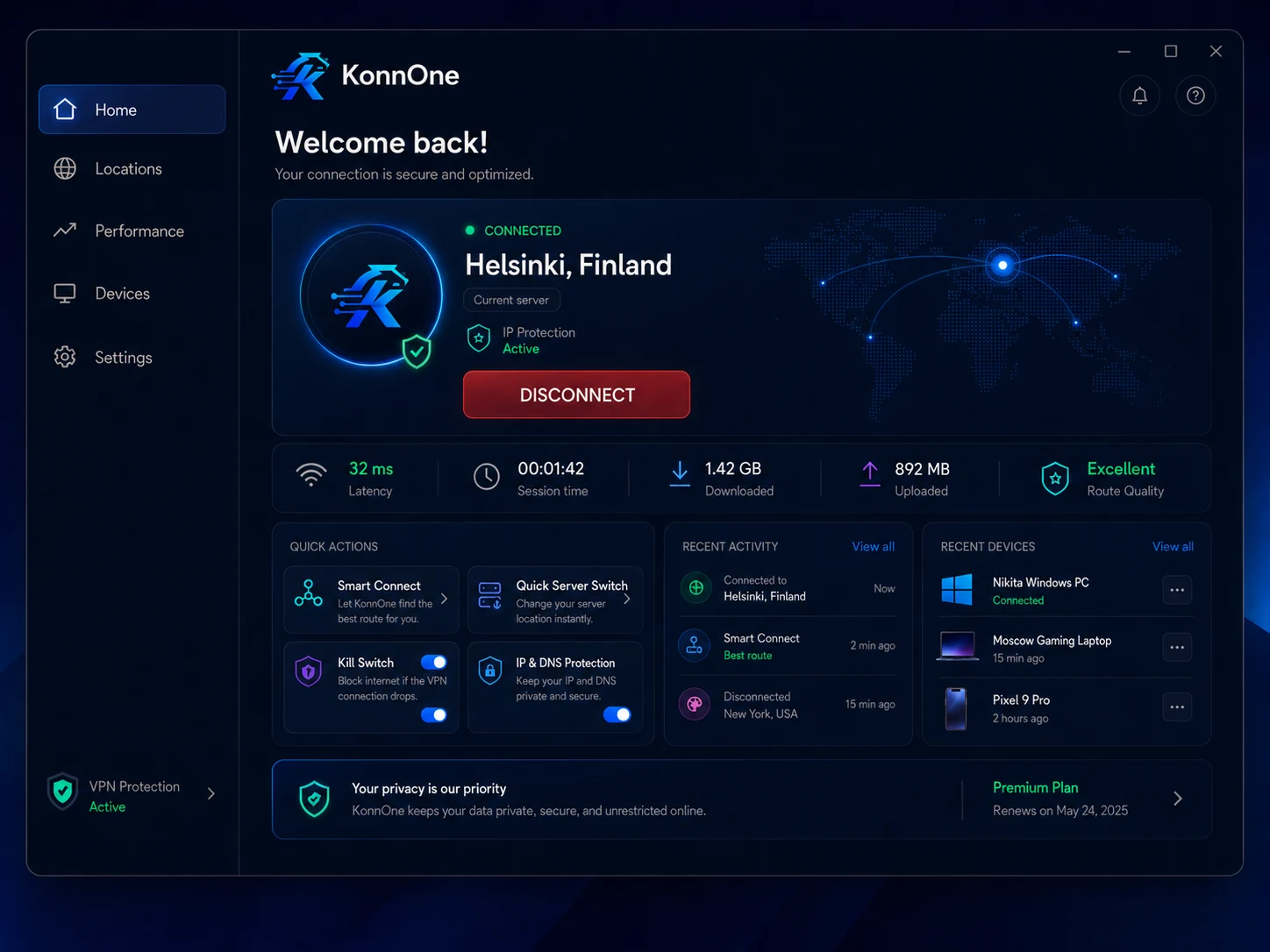
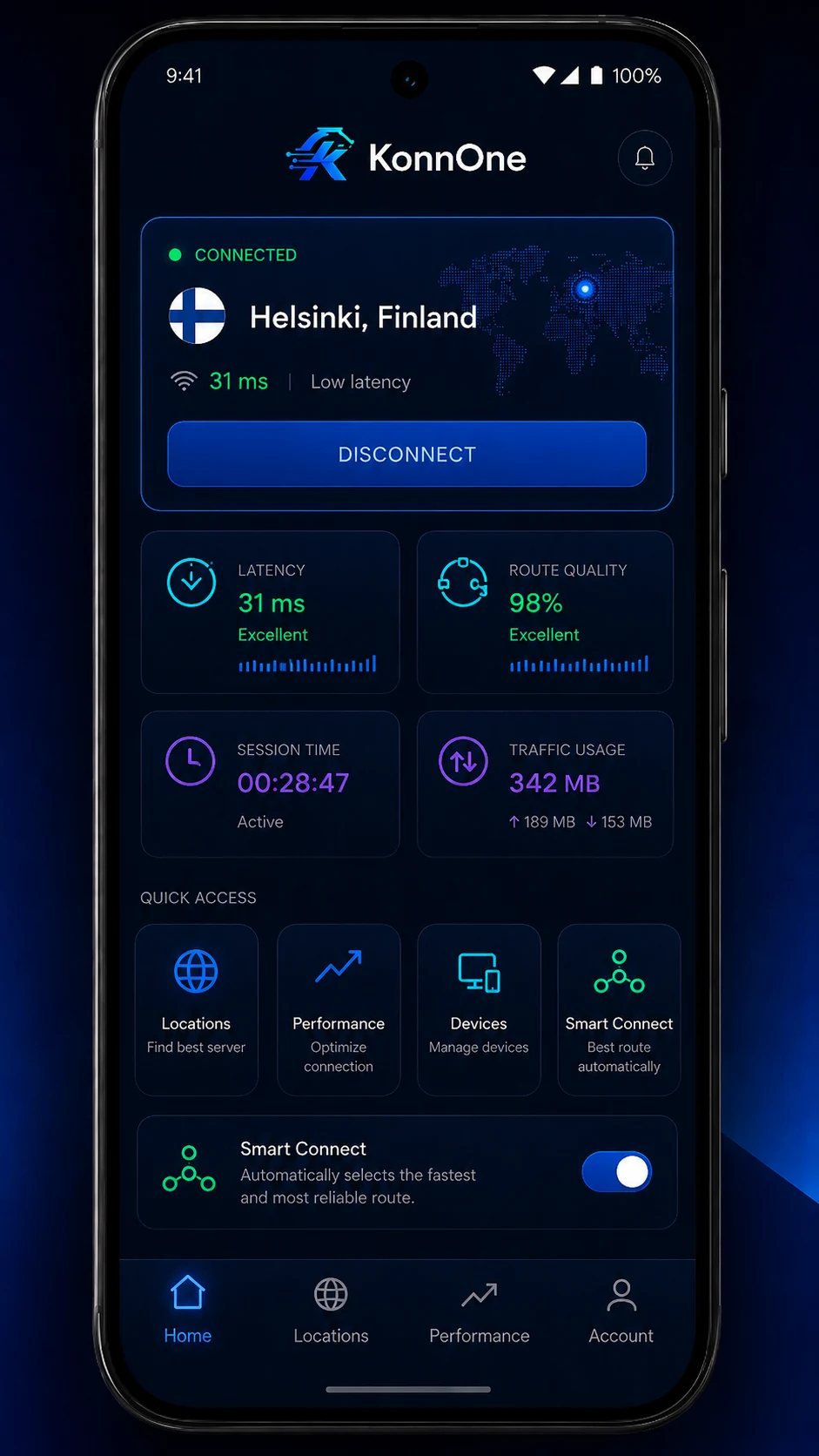
Install KonnOne, sign in, choose Automatic or a location, and connect. Device enrollment and tunnel provisioning happen inside the app.
Windows and Android include the native AmneziaWG tunnel engine. Users do not install or configure another VPN application.

KonnOne confirms the expected peer handshake before showing Connected and blocks replacement attempts when shutdown is uncertain.

Use Automatic or select Switzerland, Germany, Finland or Türkiye. The client shows connection state, session time and traffic usage.
Both clients are signed, independently reviewed beta builds. A private-beta account is required after installation.
A standalone Windows installer with the tunnel engine, privileged service and fail-closed network protection included.
SHA-256 a98bb9b54b513f6fa647d00b5d954d4150924141f6b1faf3d36b92baf92a3b1a
A standalone Android APK with its native tunnel engine embedded and per-device keys protected by Android Keystore.
SHA-256 80b82420da2a3bc38078630a8e8703ad77a8d3638146fb9311deaaf229584297
Download compatibility beta
SHA-256 bb01a977355cb7b49c671445d5dc363c05d896806be24239f5b887bd252f1d7d
Automatic prefers the health-gated Infomaniak route in Switzerland, or you can select a location manually. The current beta network is available in Switzerland, Germany, Finland and Türkiye.
Each installation receives its own cryptographic identity and can be revoked without replacing every other device.

Private keys are generated on the client and protected by the operating system. Only the public key is registered for provisioning.

Lost or retired devices can be disconnected and revoked individually from the KonnOne account.

The clients verify tunnel state and the expected peer. Unknown or unconfirmed shutdown states block a replacement connection.

Windows and Android beta artifacts are signed, hash-published and tested through install, connection and recovery scenarios.
KonnOne is currently a controlled private beta, not a production service. Beta users should verify the published file hash and use only the official downloads on this page.
Invitation → device registration → secure provisioning → connection. The protocol stays in the background.
KonnOne is a native VPN client and private-beta network for Windows and Android. It handles device enrollment, key provisioning and tunnel control inside one app.
Signed private-beta clients are available now for Windows 10/11 x64 and Android 7.0 or newer.
No. KonnOne provisions the device through the client. You do not need a separate WireGuard or AmneziaWG app, configuration file or manually copied key.
No. The downloads are controlled private-beta builds for invited testers. An active private-beta account is required to connect.
Compare the downloaded file's SHA-256 with the checksum shown on this page. Windows and Android builds are also digitally signed.
Download the client above, then sign in with your invited private-beta account. These builds are for testing and are not production releases.